

 Premium
What's new in Cloud: Video, photo storage 5.74.0.10062969
In the new version of the app, we have polished small details. You can do, too — in the photo editor. It's easy to apply a filter, add effects or crop a picture: simply open it and tap the pencil icon at the bottom of the screen
About Cloud: Video, photo storage 5.74.0.10062969
Cloud: upload, transfer photos, documents, and files to the disk. One drive with cloud storage for all files.
Premium
Perfect file sharing & storage with Cloud. Backup and sync photos, docs, and other files to the cloud storage drive and access them from any device, anywhere. With advanced sharing, easily share photos & documents to send anywhere with cloud & photo drive.
* Upload photos from your mobile phone. Adjust the automatic "save to disk" in your cloud Camera Uploads. In order to save bandwidth, it is recommended to perform downloads while connected to Wi-Fi. Store all your files on one drive.
* Free up space on your device: all your images are already saved in the Cloud.
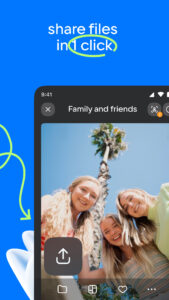
* Share files and folders with friends and colleagues in just one click.
* Save bandwidth - you can send a link to an image, video or document by SMS, e-mail, instant messenger or through a social network.
* Cloud for Android allows you to watch videos (including the most popular video formats: avi, mkv, mp4, mov, wmv) and listen to music. Cloud can play a video file without downloading it on the device. Still available ability to open a video into an external player.
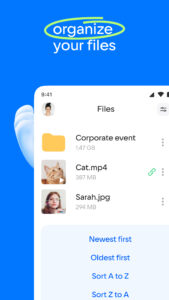
* Manage your files from anywhere - rename, delete, move them between folders. Use just one drive for storage.
* Create shared folders with other users, add any files together. Use shared folders with friends to collect photos from parties or travelling. Work with documents in groups, using a shared folder with colleagues. Collect and share family memories - all family members can add photos and videos in a shared album.
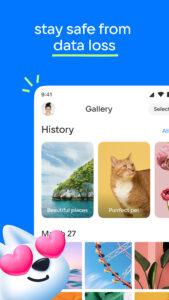
* Keep your important files in a safe storage location! No matter what happens to your drive on your PC or phone, all your files stored in the Cloud will stay intact.
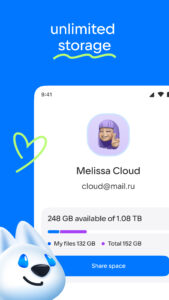
* You can increase your Cloud storage. List of plans is located in the application side-bar.
* The Cloud app is available for Android smartphones and tablets. One drive to store files on your device.
* You do not need any wires, flash drives and memory cards. All you need is the app Cloud and internet connection.
The application has been tested and is compatible with Android version 4.0 and later.


 Premium

Version:5.74.0.10062969
Uploaded:December 21, 2025 at 2:30AM UTC
File size:132.12 MB
Downloads:6
Version:5.73.0.10062828
Uploaded:December 16, 2025 at 12:35PM UTC
File size:131.64 MB
Downloads:9
Version:5.73.0.10062416
Uploaded:December 10, 2025 at 6:16AM UTC
File size:138.02 MB
Downloads:14
Version:5.72.0.10062330
Uploaded:December 8, 2025 at 1:08PM UTC
File size:138 MB
Downloads:5
Version:5.71.0.10062007
Uploaded:December 4, 2025 at 7:04AM UTC
File size:137.86 MB
Downloads:6
Version:5.72.0.10062025
Uploaded:December 3, 2025 at 6:10PM UTC
File size:137.86 MB
Downloads:6
Version:5.70.0.10061860
Uploaded:December 2, 2025 at 8:40AM UTC
File size:137.83 MB
Downloads:4
Version:5.70.0.10061355
Uploaded:November 27, 2025 at 1:44AM UTC
File size:137.25 MB
Downloads:11
Version:5.69.0.10061249
Uploaded:November 26, 2025 at 9:54PM UTC
File size:137.25 MB
Downloads:11
Version:5.68.0.10060693
Uploaded:November 20, 2025 at 10:14AM UTC
File size:136.66 MB
Downloads:5


